Feedback design has a bad habit: it treats participant attention as free. It is not. Every extra prompt asks people to spend a little more focus, a little more memory, and a little more patience on our behalf.
The better question is not, “How much can we ask?” It is, “What is the smallest feedback move that still supports the decision?” That is where lighter methods earn their place.
In this Article
- Why Lighter Feedback Often Beats More Feedback
- The Hidden Cost of Over-Collecting Feedback
- 10 Feedback Methods That Reduce Participant Overwhelm
- How to Choose the Right Lightweight Method
- Where Lightweight Feedback Has Limits
Why Lighter Feedback Often Beats More Feedback
More feedback is not the same as better feedback. In practice, the long instrument often looks responsible from the sender’s side and exhausting from the participant’s side.
I tend to start with the decision, not the questionnaire. If the team needs to decide which onboarding step is confusing, a single well-timed question may beat a full satisfaction survey. If the team needs comparative benchmarking across cohorts, the design changes again. Method follows use.
Participant care and insight quality are not opposing goals. They usually move together. When people understand what they are being asked and can answer without mental gymnastics, they give cleaner signals. They also remain more willing to participate next time.
Main Point: Lightweight feedback is not lazy research. It is disciplined research with fewer opportunities to waste attention.
The methods below all share one design principle: reduce cognitive load while preserving the signal needed for action.
The Hidden Cost of Over-Collecting Feedback
Over-collection rarely announces itself. It shows up as rushed answers, repeated scale selections, half-finished forms, and comments that say “all good” when the experience clearly was not.
Match the method to the decision
The root cause is usually upstream. Teams mix “need to know” and “nice to know” items in the same instrument. Then participants carry the burden of that uncertainty.
The fix is blunt: cut before you write. For each question, ask what decision it will affect. If no one can answer, remove it. If the decision is low stakes, use a lighter method. If the decision is high stakes, be honest about the effort required and explain why.
Overwhelm also damages trust. People remember when feedback feels extractive. The next invitation arrives with a little less goodwill attached.
1. Micro-Surveys: One Question at a Time
A micro-survey is exactly what it sounds like: one question, delivered close to the experience. Post-task prompts, in-app checks, and short follow-ups after a support interaction all fit the pattern.
When this works best
Use micro-surveys when you need continuous pulse tracking without asking the same participant to complete a full questionnaire. They suit product teams watching friction points over time, especially when the moment matters more than the participant’s later reconstruction of it.
For task-based feedback, prompts should arrive while memory is still warm. Project records for micro-survey pilots used prompts within roughly 3-5 minutes of task completion, with a rotation cycle spanning about two to three weeks per participant. That rotation matters. Without it, one helpful user can become the unofficial research department.
How to keep the signal clean
- Ask one question tied to one recent action.
- Rotate prompts so no single participant sees every question.
- Keep answer options plain and avoid clever wording.
- Pair the result with behavioural data where appropriate, rather than treating the answer as the whole story.
Micro-surveys are not a full diagnostic tool. They are a fast signal check.
2. Pulse Checks and Mood Scales
Pulse checks are useful when the team needs a recurring temperature read: satisfaction, confidence, clarity, stress, or perceived momentum.
Two valid approaches compete here. A numeric scale, such as 1-5, gives cleaner comparison over time. An emoji or mood scale can feel lighter and faster, especially in teams that already use informal digital rituals. The trade-off is precision. Emoji scales can be easier to answer but harder to interpret consistently across groups.
My recommendation is simple: use numeric scales when you plan to compare across time or teams; use mood scales when the goal is fast reflection within a familiar group.
Expert Tip: Make the free-text follow-up optional. A mandatory “tell us why” field turns a light pulse into a small writing task.
The optional comment is where the texture lives. The scale tells you where to look. The comment explains what may be happening.
3. Start, Stop, Continue
Start, Stop, Continue works because it gives people three buckets before asking them to think. That scaffolding reduces the blank-page problem.
The structure
- Start: What should we begin doing?
- Stop: What should we stop doing?
- Continue: What is working and should remain?
This method fits workshops, sprint retrospectives, coaching sessions, and team learning reviews. It also maps cleanly to action planning. “Start” becomes a trial. “Stop” becomes a removal decision. “Continue” protects what is already helping.
In delivery retrospectives, the three-bucket structure was retained in sprint retro work because it directly matched the action planning outputs teams needed. Workshop sessions were limited to roughly 8-12 participants, with feedback captured in under about four minutes total.
That time boundary is part of the method, not an administrative detail. Let it sprawl and the exercise becomes another meeting inside the meeting.
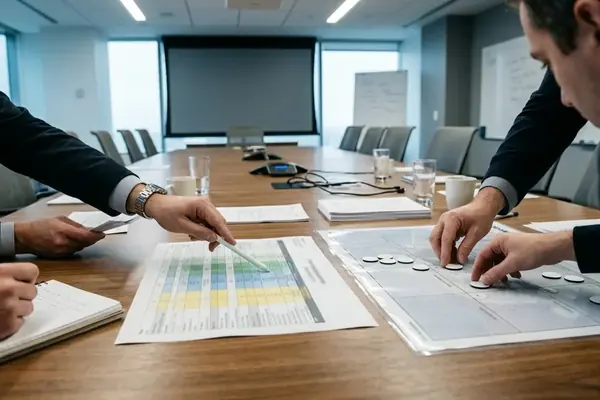
4. Dot Voting for Prioritisation
Dot voting is not deep research. It is quick prioritisation, and that distinction keeps it useful.
Participants receive a limited number of votes and allocate them across options. The constraint forces trade-offs. If someone wants everything, the dots do not allow it. That is the point.
Where dot voting helps
- Selecting which workshop themes deserve immediate discussion.
- Ranking feature pain points after a discovery session.
- Finding visible agreement in a group without requiring speeches.
The common mistake is treating dot totals as a mandate. They are not. Dot voting surfaces collective priority quickly with minimal writing, but it can be swayed by option wording, group dynamics, and what appears first on the board.
Use it to decide what to discuss next, not to settle a complex product strategy.
5. The Single Open-Ended Question
One well-crafted open question can beat ten closed ones.
The trick is specificity. “Tell us about your experience” asks for too much. “What was the hardest part of setting up your account today?” gives the participant a clear target and a time boundary.
Good single-question prompts
- What was the hardest part of completing this task today?
- What nearly stopped you from finishing?
- What would you change first if you owned this process?
- What felt unclear in the last step?
This method is especially useful when you suspect the real issue sits outside your predefined categories. Closed questions measure what you already thought to ask. A single open-ended question leaves room for surprise without turning the participant into an essayist.
Keep it concrete. Keep it recent. Keep it singular.
6. Rose, Thorn, Bud
Rose, Thorn, Bud gives reflection a balanced frame: one positive, one challenge, and one opportunity.
It works well in coaching and team learning contexts because it does not let the conversation collapse into complaint. The rose matters. People need to name what is worth preserving, not just what hurts. The bud also matters because it moves the group from critique into possibility.
This is not the method I would choose for comparative benchmarking or formal performance measurement. It is better suited to sense-making after a shared experience, such as a workshop, pilot, training session, or team reset.
Best use
Ask participants to write short responses first, then discuss patterns. If discussion begins too early, louder voices can shape what others decide to record.
7. Exit Tickets
Exit tickets work because they respect the natural departure window. People are already leaving, mentally and often physically, so the request must be quick.
A good exit ticket uses one or two prompts at the end of a session. It might ask, “What is one thing you are taking away?” or “What remains unclear?” That is enough.
According to project records, the one or two prompt limit was chosen after reviewing session-end timing logs that showed attention decay after roughly 45 seconds. In those designs, prompts were delivered in the final 30 to 45 seconds of the session, and the collection window closed automatically after about a minute.
Caution: Do not use an exit ticket for anything that requires careful recall. By the end of a session, speed is your friend and depth is limited.
8. Preference Ranking
Preference ranking asks participants to order options rather than rate each one in isolation. That small design change creates a different kind of evidence.
Ratings often allow everything to look important. Ranking forces comparison. If a team needs to choose between three onboarding messages, four support article titles, or a short list of workshop topics, ranking can reveal relative preference without requiring written explanation.
Trade-offs
- Ranking is useful when the option set is short and clear.
- It becomes tiring when the list grows too long.
- It shows order, not intensity. First place may be only slightly preferred over second.
Use ranking when the real decision is comparative. Avoid it when each item needs separate diagnostic detail.
9. Annotated Screenshots
Sometimes the fastest feedback is visual. Give participants a screenshot and ask them to mark what confused them, what they noticed first, or where they expected to click.
This method reduces writing effort and can expose interface problems that a scale would flatten. It also helps when participants struggle to describe a spatial issue. “This button looked secondary” is easier to show than explain.
The risk is over-reading individual marks. A screenshot annotation is a clue, not a complete usability finding. Look for repeated patterns across sessions and compare them with task behaviour before making a design call.
For product teams, annotated screenshots sit neatly between a quick survey and a moderated usability test. Less depth than the test, more context than the survey.
10. Two-Minute Listening Posts
A listening post is a short, structured conversation with one participant at a natural pause point: after a demo, after a service interaction, or during a pilot check-in.
It is not an interview pretending to be casual. The discipline is in the limit. Ask one core question, one follow-up, then stop. The participant should not feel trapped by their willingness to help.
A simple script
- “What stood out most from that experience?”
- “What made that stand out?”
- “Is there one thing you would change first?”
This approach is useful when tone, hesitation, or context matters. It is weaker when anonymity is essential, or when participants may feel pressure to be polite.
How to Choose the Right Lightweight Method
Do not start by choosing the method you like. Start by naming the decision type.
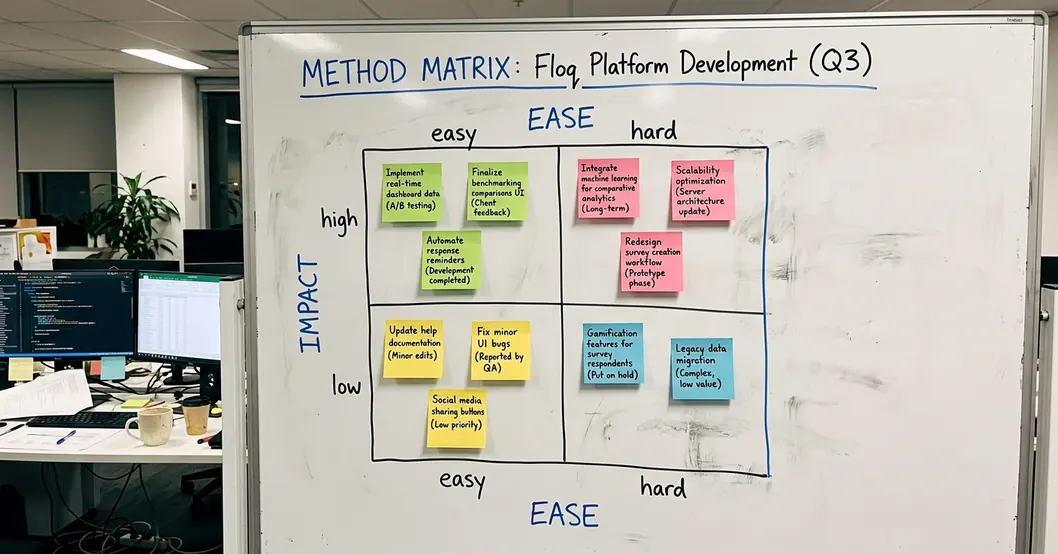
- Need a quick temperature read? Use a pulse check or mood scale.
- Need a priority order? Use dot voting or preference ranking.
- Need recent task friction? Use a micro-survey or single open-ended question.
- Need team reflection? Use Start, Stop, Continue or Rose, Thorn, Bud.
- Need end-of-session clarity? Use an exit ticket.
The decision guide behind this approach was built by cross-referencing method outputs against actual decision types logged in prior projects. Methods were tried across roughly six to eight week project cycles, which is long enough to see participation patterns but not a substitute for every operating context.
That qualifier matters. Response quality varies sharply when participants have prior exposure to similar lightweight formats. A team that asks “one quick question” every day has not solved fatigue; it has renamed it.
Where Lightweight Feedback Has Limits
Lightweight methods trade statistical representativeness for speed and care. That is acceptable in many product, workshop, coaching, and team-learning contexts. It is not acceptable everywhere.
High-stakes regulatory reviews still require validated scales despite fatigue concerns. So do formal measurement programs where comparability, auditability, and defensible inference matter more than speed. In those cases, the ethical move is not to pretend a dot vote can carry the load.
The better stance is comparative. Use lightweight methods to detect friction early, preserve participant goodwill, and guide local decisions. Use heavier instruments when the decision demands validated measurement. Both have a place.
Good feedback design is not about asking less for the sake of it. It is about asking with restraint, timing, and a clear promise that the answer will be used.